Mon 2026.10.12
GSD Task Manager: a task list your agent can read too
Today's pick: GSD Task Manager
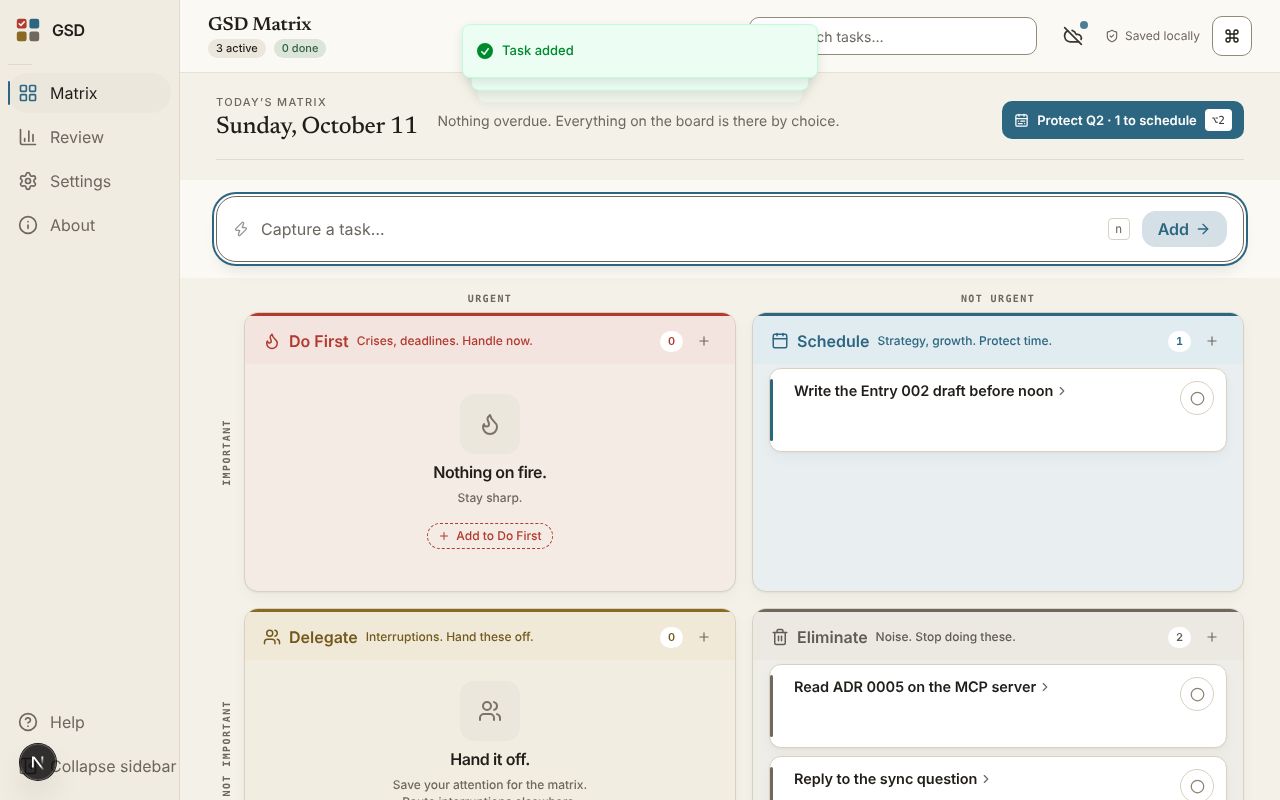
GSD Task Manager is an open-source product that sorts tasks into an urgent-versus-important matrix in the browser. An agent reads and writes the same list through an MCP server.
It is today's pick because its structure shows exactly what must be given up to share a task list with an agent.
- Found on
- Show HN
- Built with
- TypeScript, Next.js, Dexie, PocketBase, Claude, Cursor Agent
The problem
The most common way to hand tasks to an agent is a markdown file that the agent edits. The first comment on the Show HNA post on Hacker News, a developer community, in which someone presents what they made. Its title starts with "Show HN:". thread said as much. A reply added that todo.txt works for humans and robots alike. One file is simple, but it has no structure. Only the writer knows whether a task is urgent or important. The writer sees the agent's changes only after they happen. The user works in an app, and the agent reads a separate file.
How it solves it
GSD Task Manager gives the agent access to the user's task list. The browser app places tasks in a matrix with urgent and important as its two axes. The MCPModel Context Protocol. It is a standard for how AI models connect to outside tools and data. server exposes the same list through 19 tools. Its 5 write tools all take dryRun and show the outcome before applying it. Each task that the agent creates or moves is validated against a schema. The user sees the change in the same matrix.
What is different
The user and the agent read different data stores. The browser app keeps every task in IndexedDBThe database built into the browser, which web apps use to keep data locally without a server. and works with no account and no server. That is why the header says "Saved locally". The MCP server is a Node process and cannot access the browser's IndexedDB. It connects only to the optional PocketBase sync server, a backend shipped as a single binary. The design record ADR 0005 states this limit and the alternatives it considered: a browser extension, reading IndexedDB through WASM, a localhost WebSocket server. The project rejected all three and chose a separate package that uses stdio transport. The user reads and writes the task list in the app, and the agent does the same through tools. The cost is that the tasks no longer stay only in the browser. You also have to run a sync server.
How it was built
- The repository has 669 commits from 2025-10-04 to the day before launch.
- 188 commits have a Co-authored-by trailer for Claude. The model name changes from Claude Opus 4.5 through 4.6 and 4.8 to Fable 5.1. Cursor Agent appears in 17 commits, Copilot in 12 and Devin in 7.
- The repository root has CLAUDE.md, AGENTS.mdA file in a repository that gives AI coding agents their working rules. and the .claude and .codex directories. The design decisions are recorded in 17 ADRs.
- The README does not describe how it was built.
Running it
- Install and run.
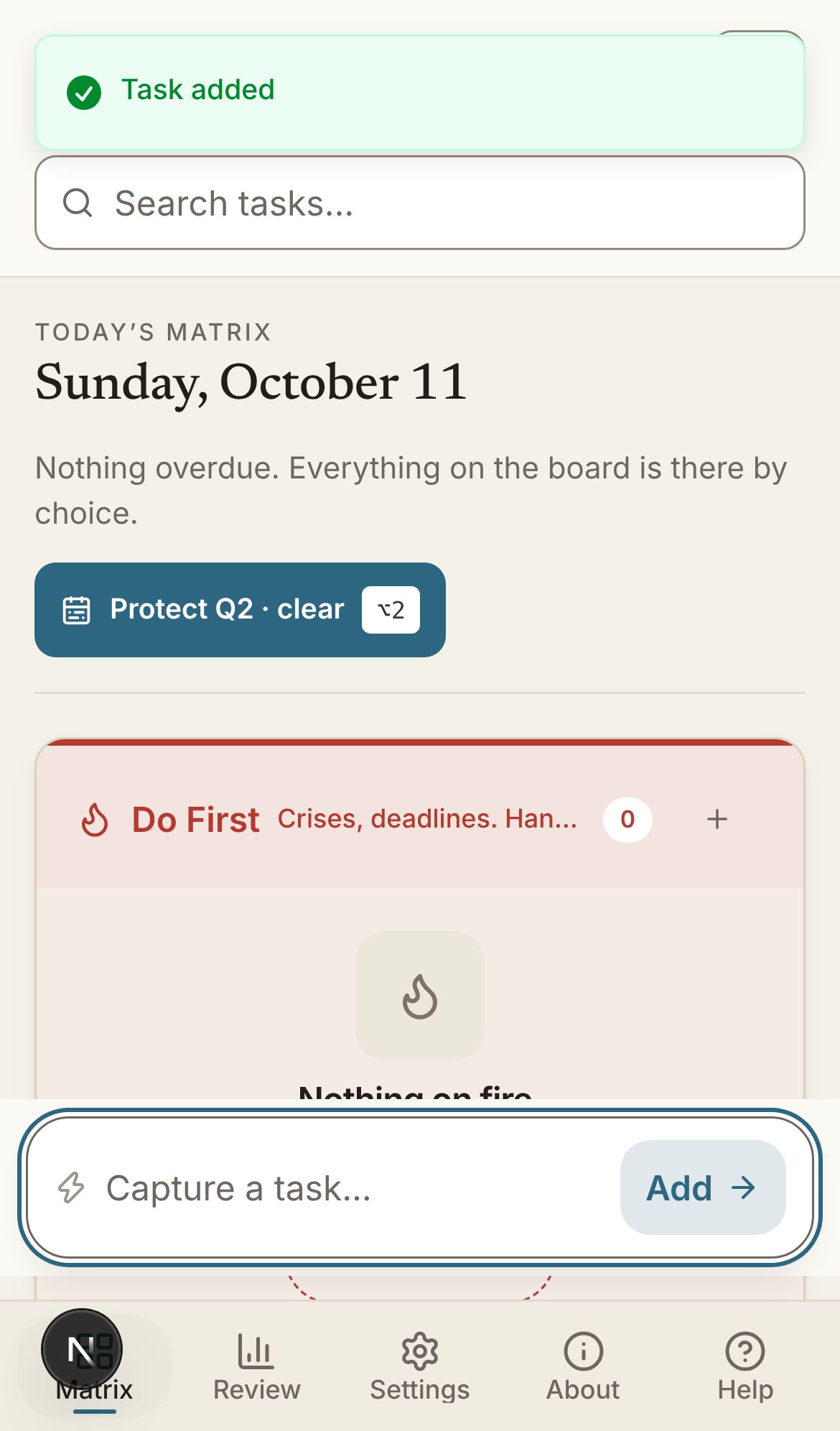
bun installtook 4.7 seconds, andbun devstarted the app straight away. - Local storage. I created four tasks without an account or key. They were still there after a reload. In the meantime the browser sent 205 requests, all to localhost.
- Quick capture. A task typed with no marker goes to "Eliminate". Only a trailing
*sends it to "Schedule". So quick capture files a task under "discard" by default. - MCP server. I built it with
tscand connected over stdio. I then fetched the tool list. There were 19 tools. The design record lists 20, and list_devices is missing. - Calls with no backend. Calling create_task with dryRun returned a preview, and get_sync_status returned healthy false. So the MCP server starts, but without a sync server and an OAuth login it cannot read a single task.
- Against the README. I confirmed all three claims in the README. The only discrepancy is the tool count. The README says 19, and the ADR says 20.
- Static build. It took 38 seconds and produced 4.3 MB.
connected in 274 ms; tools: 19
create_task dryRun -> DRY RUN - Task would be created (not saved)
get_sync_status -> "healthy": false, "authenticated": false
Not checked
- The PocketBase integration. I need to install and run PocketBase, log in with OAuth, and write real tasks through the MCP tools to check it.
- The last-write-wins conflict handling in lib/sync/ (ADR 0003). Next time, check which side survives when an agent and a user edit the same task at once.
Verdict
It runs. The browser app runs locally with two commands. But an agent needs a sync server and an OAuth login to see the same list. It suits users who want to prioritize tasks in a browser matrix and can wait to connect an agent. If you want an agent to manage your tasks, a markdown file does it with less setup. This product beats that only if you are willing to run the PocketBase sync server yourself.
What to take away
- Decide where a user's data lives before you let an agent read and write it. GSD kept it in the browser, so the agent needed a separate sync server.
- Give every write tool for agents a dryRun option that returns the outcome before applying it. Here all five write tools do.
- Check that the numbers in the docs match the code. The README listed 19 tools. The design record listed 20.
Getting started
git clone https://github.com/vscarpenter/gsd-task-manager.gitbun installbun dev
- You need
- Bun 1.3
- Node.js 22.22 or later
- For the MCP server, a PocketBase sync server and a Google or GitHub OAuth login
- Cost
- MIT licensed and free. Sync needs your own PocketBase server. The repository ships a setup for it under docker/. No pricing was found for the hosted version at gsd.vinny.dev.
For the MCP server, run npm install --global gsd-mcp-server@1.3.0 and then gsd-mcp-server --setup to generate the Claude Desktop config.
Steps select 1 ran.
Progress
- Day 3Missed
- Day 7Active
- Day 15Active
- Day 30Active
- Day 90Upcoming
- Day 180Upcoming
- Day 365Upcoming
Latest check Day 30, Tue 2026.11.10
- Commits since launch
- 127
- Stars
- 40
- Latest release
- v14.7.0
- Last commit
- 2026.11.09
- Saved now works on the web. It keeps tasks outside the four quadrants with notes, links and search, and a task can go back to the matrix later (v14.2.0).
- Tasks can have a due time of day, and all-day tasks remind at 09:00. Reminders can be snoozed from the card menu and the editor.
- Sign-in tokens now last 30 days and renew when used in the last 7 days (v14.7.0).
- A strip above the matrix shows today’s top three tasks, and a new weekly sweep screen goes through the week’s tasks.
Day 3 missed: Progress checks started on 2026.10.16. This date had already passed.