Wed 2026.11.04
office-engine: opening large Office files in the browser without a server
Today's pick: office-engine
office-engine is a product that opens and edits DOCX, XLSX and PPTX files inside the browser. Files are not sent to a server. Large files appear on screen as they are read.
It is today’s pick because a web app can embed an Office editor without a conversion server.
- Found on
- Show HN
- Built with
- TypeScript, React, Bun, Vite
The problem
To show Word, Excel or PowerPoint files that users upload, a web app has to read them and draw them on screen. A spreadsheet with hundreds of thousands of rows takes a long time to read to the end. If the screen is drawn only after that, the user has to wait.
According to Google Drive Help, a spreadsheet created in or converted to Google Sheets can hold up to 20,000,000 cells or 100 MB.
How it solves it
office-engine was posted on Hacker News as a Show HN on November 3, 2026. With one React component, a web app can open and edit DOCX, XLSX and PPTX files in the browser. Files are read in the browser, not sent to a server.
Large files appear on screen before they are fully read. A DOCX, XLSX or PPTX file is a ZIP of several XML files. office-engine first unpacks the XML files for the sheets or slides it needs to show. It parses the XML in a web workerA browser feature that runs a script on a separate thread, so long-running tasks do not freeze the screen. so the page does not freeze. Only the cells and pages on screen are drawn. According to the README, saving rebuilds only the edited parts, and the rest keep their original bytes.
What is different
The first difference is where the file is processed. Google Sheets works on files stored in Google Drive and converted to its own format. office-engine reads and saves the file in its original format inside the browser. The tradeoff is that opening speed depends on the user’s computer.
The second difference is how large files are opened. office-engine shows rows and paragraphs as they are read, instead of reading the whole file first.
How it was built
- The repository has 21 commits from November 2 and 3, 2026, all by one developer. Of these, 19 have a Co-authored-by trailer for Claude.
- Large test files are not in the repository. A Python script generates them.
- There are tests that run with Bun and tests that run in a browser.
Running it
I set up the project with Bun 1.4.2 and opened the demo in headlessRunning a browser without opening a window. It is used for automated tests and measurements. Chromium on a 4-core virtual machine.
- Install.
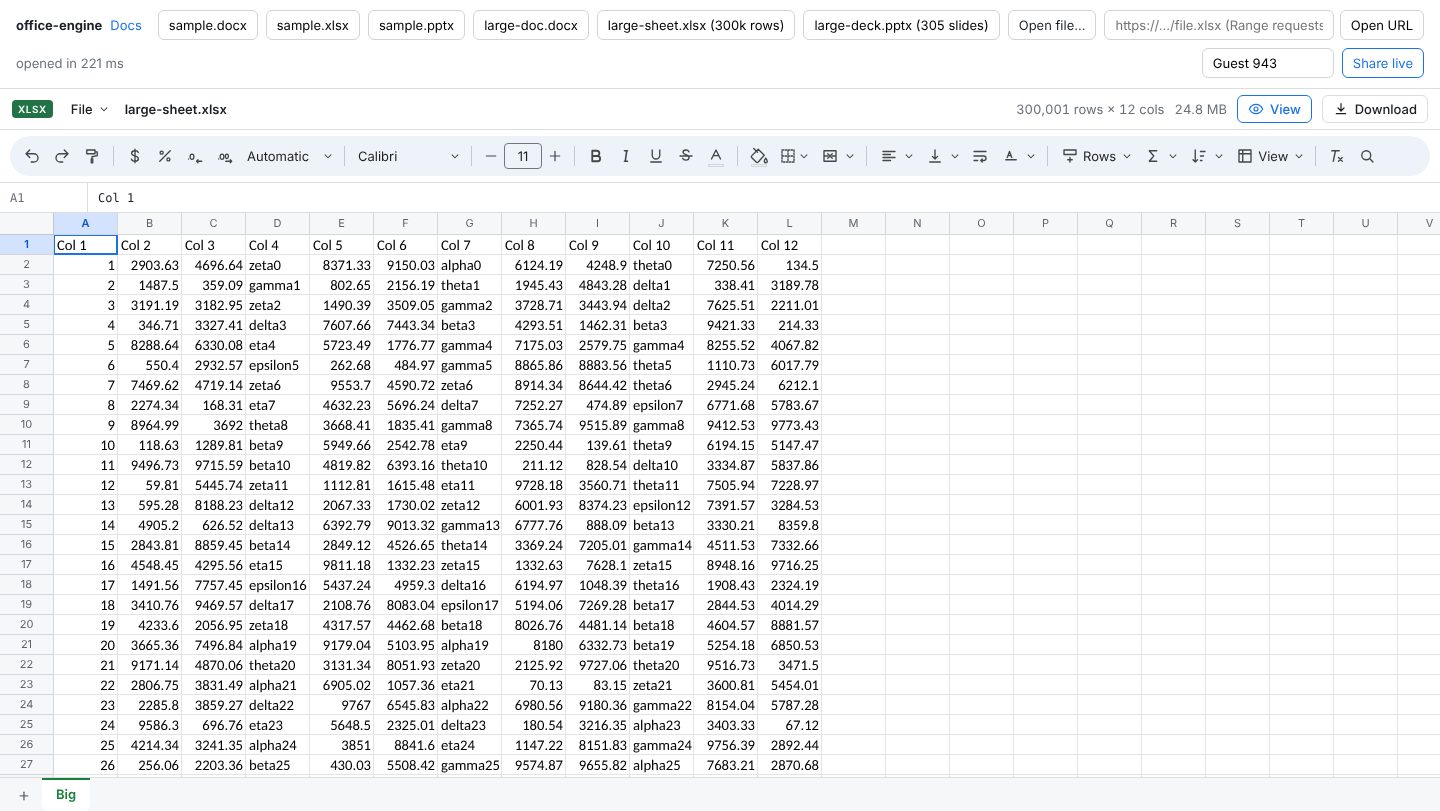
bun installfinished in 3 seconds. - Test files. The repository’s Python script took 42 seconds to generate a 300,000-row, 12-column XLSX (24.8 MB), a 20,000-paragraph DOCX and a 305-slide PPTX.
- Tests. All 127 tests passed with
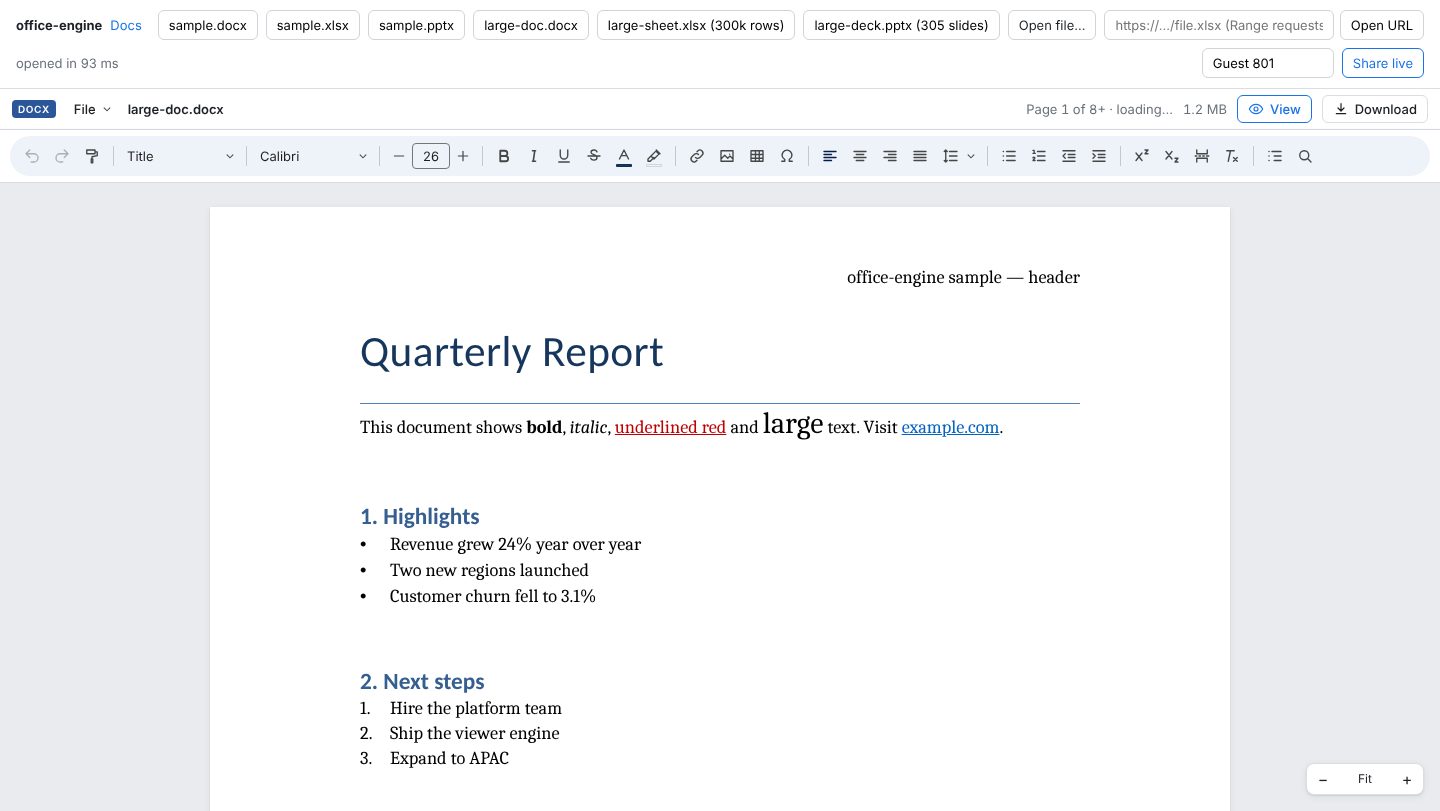
bun testin 31 seconds. - Opening. I served a production build of the demo and opened each file three times. The demo times each file until the viewer sends its ready signal. The 300,000-row XLSX took 156 to 225 ms. The 20,000-paragraph DOCX took 93 to 113 ms, and the 305-slide PPTX took 68 to 95 ms.
- Full load. The loading label for the 300,000-row XLSX disappeared 4.1 to 4.4 seconds after the file opened. That is roughly twice the README’s figure of about 2 seconds for a file of the same size. The README’s figures were measured in Chromium on an Apple M-series computer.
- Cells drawn. After loading, the grid held 829 DOM elements, and 336 of them were cells. The file has 3,600,000 cells, but only those on screen were drawn.
Not checked
- Saving. Edit one cell, save, and compare the unedited parts with the original bytes.
- Opening by URL. Put a large XLSX on a server that supports range requestAn HTTP request that asks for a specific byte range of a file instead of the whole file. and open it by URL. Check that only the needed parts are downloaded.
Verdict
It works. A 300,000-row XLSX opened within 0.23 seconds. But reading the whole file took over 4 seconds. It is worth trying if your web app needs to show Office files that users upload.
Getting started
bun add @p10node/office-engineimport { DocViewer } from '@p10node/office-engine'
- You need
- React 18 or later. Bun, to build from source
- Cost
- Free under the MIT license.
According to the maker, it cannot open the old binary formats (.doc, .xls, .ppt) or encrypted files, and cannot edit charts or pivot tables in XLSX yet.
Steps select 1 ran.
Progress
- Day 3Upcoming
- Day 7Upcoming
- Day 15Upcoming
- Day 30Upcoming
- Day 90Upcoming
- Day 180Upcoming
- Day 365Upcoming