Wed 2026.11.18
Wine-Assembly: Windows programs in a browser
Today's pick: Wine-Assembly
Wine-Assembly is a product that runs Windows 98 programs in a browser.
It is today’s pick because you can open an old program without installing an operating system.
In four panels
1The problem
- Browser
- PC emulator (v86)Emulates an x86 CPU and hardware
- Windows 98Boots from a disk image
- Solitaire
When you emulate a whole PC, even running Solitaire means booting Windows 98 first, and you need a disk image with Windows installed.
2How it works
- Browser
- WebAssembly interpreterRuns the x86 machine code in the executable
- Reimplemented Win32 APIMakes windows, draws and opens files in place of Windows
- sol.exeThe original executable
Ran today
Wine-Assembly does not boot an operating system. It reads the program’s executable (.exe) and loads it into memory.
3What is different
BeforeWine-Assembly
Scope of emulation
Boots Windows 98 (v86)Only the program and the functions it calls
Trade-offFewer programs can run
How the emulator is built
Compiles DOSBox, written in C++ (js-dos)Written directly in WAT
Trade-offThe compiler catches fewer errors
4Running it
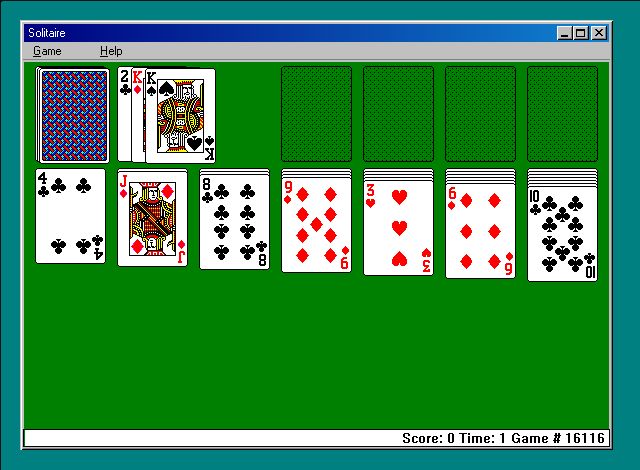
539–631 ms from opening the page to the card table (3 runs)
Solitaire running on the local build. One click on the deck turned over 3 cards.
- Found on
- Show HN
- Built with
- WebAssembly Text, JavaScript
The problem
Today, the usual way to open a Windows 98 program in a browser is to emulate a whole PC. The maker compares Wine-Assembly with v86, an emulator that runs in a browser, in the README. v86 emulates an x86 CPU and hardware, and boots an operating system from a disk image. The maker also compares it with js-dos and Wine. js-dos is an emulator made by compiling DOSBoxAn open-source program that emulates an old PC to run DOS programs. People often use it to play old DOS games. to WebAssemblyA portable binary format for code that browsers and other runtimes can run. The runtime can limit what the code can access.. Wine reimplements the Windows API to run Windows programs on Linux and macOS, but it does not run in a browser. When you emulate a whole PC, even running Solitaire means booting Windows 98 first, and you need a disk image with Windows installed.
How it solves it
The maker, Vladimir Grichina, posted Wine-Assembly to Hacker News as a Show HN on November 17, 2026.
Wine-Assembly does not boot an operating system. It reads the program’s executable (.exe) and loads it into memory. An interpreter written in WebAssembly runs the program’s x86 machine code. The program calls Windows functions to make a window, to draw and to open a file. Wine-Assembly’s own Win32 API handles these calls in place of Windows. JavaScript only draws pixels to the screen and passes input and files. Wine-Assembly also runs 16-bit programs from Windows 3.1.
What is different
First, the scope of emulation is different. Wine-Assembly handles only one program and the Windows functions that program calls. So it needs no disk image with Windows installed. When you open the page, Solitaire appears without waiting for a boot. The trade-off is that fewer programs can run. v86 boots Windows 98 itself, so it does not need to reimplement Windows features. Wine-Assembly can run a program only after it reimplements every function the program calls. In the latest check recorded in the README, 81 of 114 executables passed. Another 29 ran with warnings or known limits, and the other four were skipped.
Second, the emulator is built differently. js-dos uses DOSBox, which is written in C++, compiled to WebAssembly. Wine-Assembly’s interpreter and its Win32 API implementation are written directly in WATThe WebAssembly text format. It represents low-level WebAssembly instructions as readable text., and the project’s own WAT compiler builds them. The maker says in the README that the goal was to build an emulator designed for WebAssembly. The README says that when WAT is written directly, every byte of the module can be traced to its code. The trade-off is that the compiler catches fewer errors than it would for C++. A comment in tools/build.sh says that in WAT, the address ranges of two tables in memory can overlap with no compile error. At runtime, the two tables then overwrite each other’s values. So the build runs several checks on the memory layout.
How it was built
- Today I cloned the repository at commit 1eecca9. Its history has 14,189 commits dating back to March 26, 2026. Of these, 6,744 commits name Codex as the author, 6,405 name the maker and 796 name Claude.
- 4,163 commit messages have a Co-authored-by trailer for Claude. The maker says in the README that much of the reverse engineering, implementation, testing and documentation was done with Claude Code and Codex.
- The WAT source is 390,274 lines in 145 files. The README says about 210,000 lines in 61 files. That README sentence was added in a September 4 commit, and PROJECT_STORY.md gives about 360,000 lines in 134 files as of November 4.
Running it
I cloned commit 1eecca9 and built it with Node.js 22 on Linux. Then I opened it in a browser through Python’s HTTP server.
- Build.
bash tools/build.shfinished in 68 seconds without installing npm packages. build/wine-assembly.wasm and build/wine-assembly.compat.wasm were 2,402,131 bytes and 2,404,777 bytes. The README says about 1 MB each. build/wine-assembly.wasm is 958,274 bytes when compressed with gzip. The README does not say whether its 1 MB means the compressed size. - Command line. The README’s
node test/run.js --app=solprinted an error and a stack trace becausebinaries/entertainment-pack/sol.exewas missing, then exited. That path starts withbinaries, a symbolic link at the repository root. But .gitignore lists that link, so a clone does not have it. After I made the link, the command exited becausestdole32.tlbwas missing. A code comment says this is a Microsoft system file that the project does not publish to its public site. The README’s other example,test/binaries/notepad.exe, was not in the repository either. - Browser. After I made the link, I opened Solitaire. In 3 runs, the card table appeared 539–631 ms after I opened the page. A click on the deck turned over 3 cards. The timer at the bottom of the window also started.
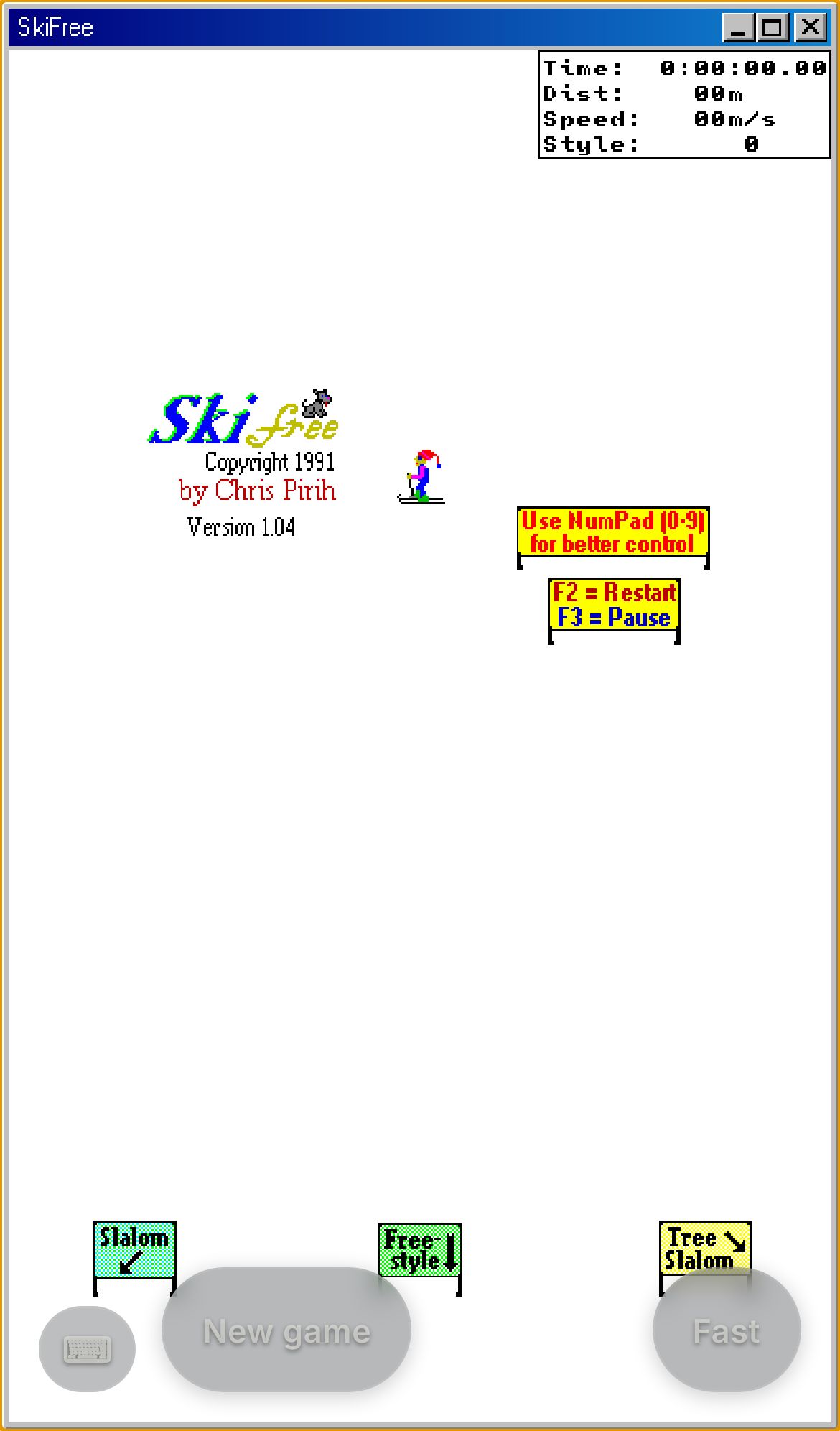
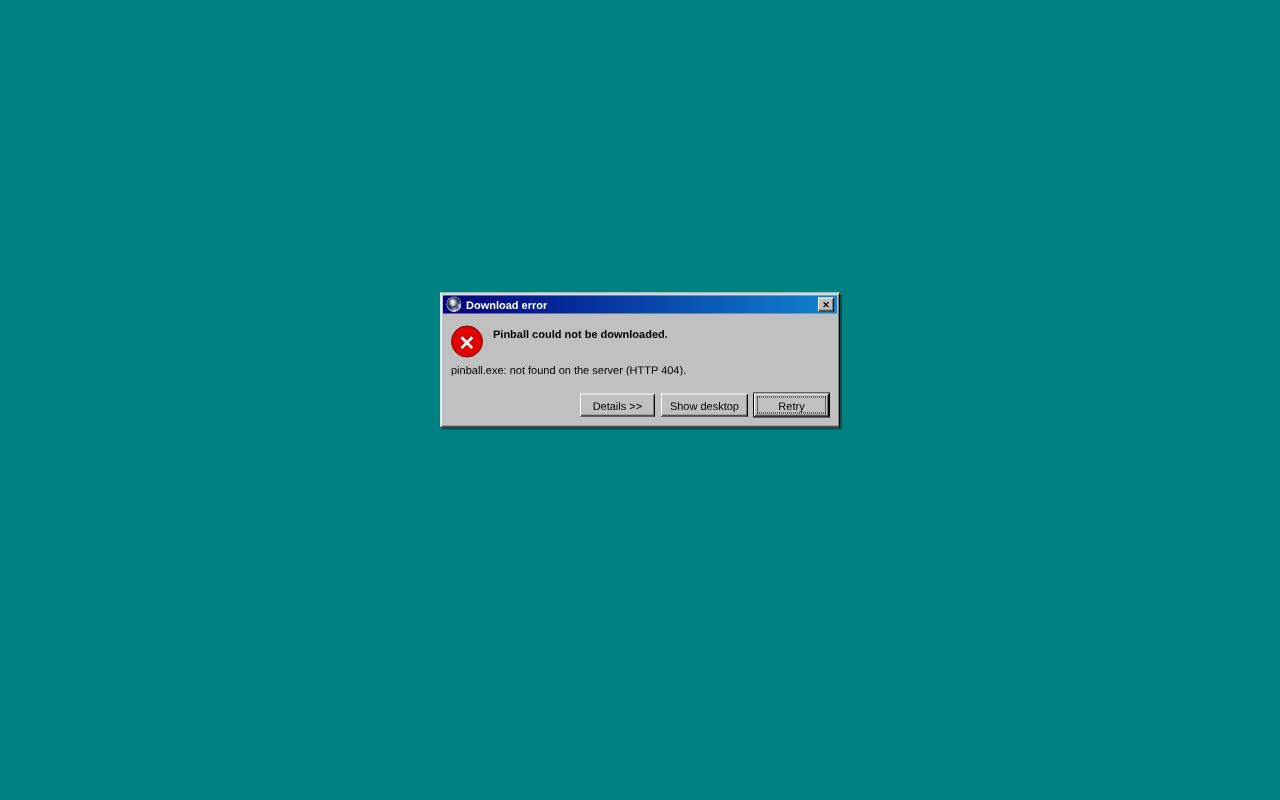
- Other programs. SkiFree and the 16-bit Solitaire for Windows 3.1 also ran. Pinball showed a download error (HTTP 404), because its executable is not in the repository. On the public site, Pinball ran.
- Phone. Under Playwright’s iPhone 13 emulation, the SkiFree window filled the screen. An on-screen keyboard button and New game and Fast buttons appeared with it.
  errno: -2,
  code: 'ENOENT',
  syscall: 'open',
  path: '/tmp/run/app/test/binaries/tlbs/stdole32.tlb'
}
Not checked
- The roughly 850 regression tests. Next, start with
npm run test:quick. - DirectX games. Checking them needs executables that are not in the repository.
Verdict
It works. The original Solitaire and SkiFree executables ran in a browser. But on a fresh clone, the README’s command-line example fails. It is worth trying if you want to show old Windows programs without installing an operating system.
What to take away
- Run the README’s quick start on a fresh clone. Wine-Assembly’s command line examples failed because of a link and files a clone does not have.
- When a needed file is missing, print an error message in the CLI too, instead of a stack trace. Wine-Assembly showed an error dialog in the browser. In the CLI, it printed a stack trace and exited.
- Generate the README’s numbers from the build. Wine-Assembly’s README still had the line count from September 4.
Getting started
bash tools/build.shln -s test/binaries binariespython3 -m http.server 8080
- You need
- Node.js (for the build).
- A browser that supports WebAssembly.
- You must supply the executables for programs that are not in the repository, such as Pinball.
- Cost
- Free under the MIT license. The public site wine-assembly.berrry.app works without an account.
The README’s quick start has no step that creates the binaries symbolic link. Without it, programs fail to load.
Steps select 1 ran.
Progress
- Day 3Active
- Day 7Active
- Day 15Upcoming
- Day 30Upcoming
- Day 90Upcoming
- Day 180Upcoming
- Day 365Upcoming
Latest check Day 7, Tue 2026.11.24
- Commits since launch
- 319 → 1,283
- Stars
- 152 → 162
- Last commit
- 2026.11.23
- Mouse input now keeps the Shift and Ctrl state and the held buttons.
- Fixed wrong values that the C runtime math functions fmod, pow and ldexp returned in edge cases.
- Fixed the Windows key-code function MapVirtualKey for keys such as Num Lock, Scroll Lock and Caps Lock.
- String functions such as StrStrIA and strtok now handle strings that span guest memory pages that are not next to each other.